
|
Home | Site Map | Contact Us |
     
|
ExifCleaner: Limitations and an AlternativeExifCleaner is a free open-source (FOSS) cross-platform multi-format file metadata remover. It's an offline desktop application with a graphical user interface. (GUI) Windows® 11 has a built-in metadata remover - the "Remove Properties and Personal Information" feature. However, it is very unreliable due to its very limited support of file formats and hidden data types, and due to its highly misleading user interface. This feature can only remove a small number of metadata properties from only twelve notable file types. Due to the serious shortcomings of the built-in metadata remover in Windows® 11, a third-party reliable and comprehensive hidden data & metadata remover is essential. ExifCleaner may seems like a promising option at a glance, but a careful examination reveals that it's very lacking. Doesn't truly removes PDF metadataExifCleaner's foremost limitation is it's inability to truly remove PDF metadata. On its official website (https://exifcleaner.com/) it's stated that it removes metadata from PDF documents. However, on its official GitHub page (https://github.com/szTheory/exifcleaner) , deep inside, under the "File writer limitations" section, it's stated that "The original metadata is never actually removed.". Unfortunately, many people who are looking for a free PDF metadata remover, don't look at this "File writer limitations" section, and are mislead into believing that this tool adequately protect their privacy by permanently removing PDF metadata. PDF files processed with ExifCleaner will appear metadata free when inspected for document properties with a PDF reader, but all the metadata still persists within the file and could be recovered by examining the file with an hex editor. ExifCleaner also cannot remove PDF annotations (comments and markups) or deleted objects, not even superficially. Under the hood, ExifCleaner uses an open-source command line tool to manipulate file metadata - ExifTool, created by a different developer. The limitation of ExifCleaner regarding PDF steams from a limitation of the underlying ExifTool. Unsupported popular file types and metadata formatsIn addition to its lack of true PDF support, ExifCleaner doesn't supports any of the following:
Other limitationsExifCleaner has a simplistic drag-n-drop user interface. It has no capability for selectively remove some metadata while preserving other, and has no capability to save cleaned files in a specified folder. Alternative to ExifCleanerBatchPurifier™ is a low-cost paid alternative to ExifCleaner. BatchPurifier™ is an offline privacy-oriented desktop application for Windows®, that has a graphical user interface, (GUI) and supports the selective removal of more than 60 types of hidden data & metadata from various types of image, video, audio, and document files. Unlike ExifCleaner, it can permanently and irreversibly remove from PDF files document properties, XMP metadata, comments and markups, and deleted objects. It also doesn't have any of the aforementioned limitations that ExifCleaner has. 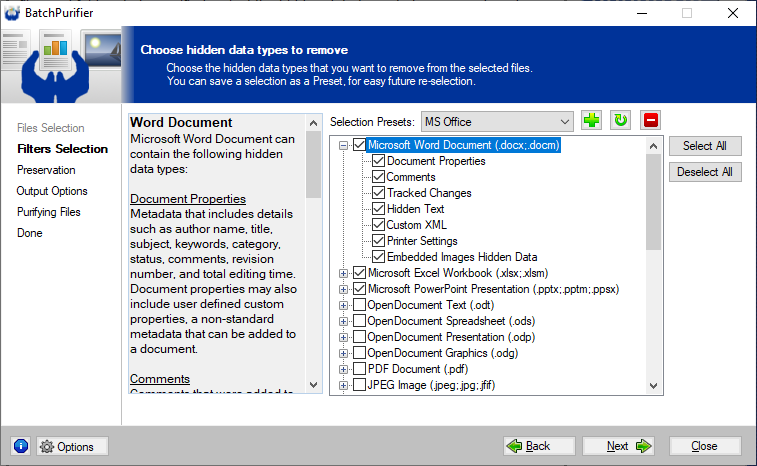
Related White Papers
|
| ©2026 Digital Confidence Ltd. All rights reserved. Privacy Statement | Site Map | Contact Us |