
|
Home | Site Map | Contact Us |
     
|
ExifTool: Limitations and AlternativesExifTool is a free open-source (FOSS) cross-platform multi-format tool to read, write, and edit file metadata. It's a very powerful offline desktop application with a command-line user interface, (CLI) created by Phil Harvey. Windows® 11 has a built-in metadata remover - the "Remove Properties and Personal Information" feature. However, it is very unreliable due to its very limited support of file formats and hidden data types, and due to its highly misleading user interface. This feature can only remove a small number of metadata properties from only twelve notable file types. Due to the serious shortcomings of the built-in metadata remover in Windows® 11, a third-party reliable and comprehensive hidden data & metadata remover is essential. ExifTool can be used as a metadata remover, and it provides a much greater support of file types and metadata formats, but it has a few limitations making it less than ideal to many users, who, consequently look for an alternative. Notable drawbacks include:
Alternative to ExifTool for removing hidden data & metadataBatchPurifier™ is a low-cost paid alternative to ExifTool for removing hidden data & metadata. BatchPurifier™ is an offline privacy-oriented desktop application for Windows®, that has a graphical user interface, (GUI) and supports the removal of more than 60 types of hidden data & metadata from various types of image, video, audio, and document files. BatchPurifier can permanently and irreversibly remove from PDF files document properties, XMP metadata, comments and markups, and deleted objects, and it doesn't have any of the aforementioned limitations that ExifTool has. 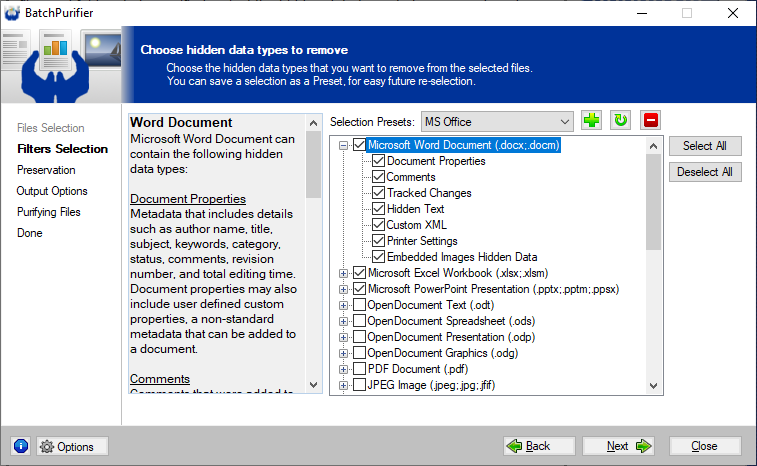
Alternative to ExifTool for editing metadataMetadataTouch™ is a powerful tool to view and edit metadata in Microsoft Office® documents (Word, Excel®, and PowerPoint®), LibreOffice® documents, PDF documents, JPEG, JPEG 2000, AVI, MP3, MP4, F4V, WAV, AIFF, PNG, SVG, Visio, APE, MPC, OFR, WV, TAK, and XMP files. It's an offline desktop application for Windows® that has a simple & straightforward graphical user interface, (GUI) with an integral file explorer, making it ideal for easily editing metadata. 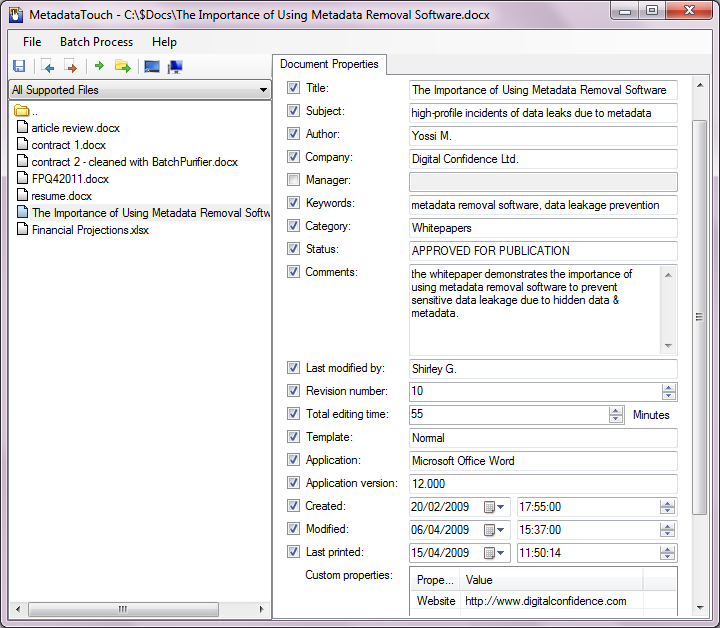
Related White Papers
|
| ©2026 Digital Confidence Ltd. All rights reserved. Privacy Statement | Site Map | Contact Us |