
|
Home | Site Map | Contact Us |
     
|
PrivMeta: Limitations and an Alternative
PrivMeta is a free browser-based offline file metadata removal tool, available at Windows® 11 has a built-in metadata remover - the "Remove Properties and Personal Information" feature. However, it is very unreliable due to its very limited support of file formats and hidden data types, and due to its highly misleading user interface. This feature can only remove a small number of metadata properties from only twelve notable file types. Due to the serious shortcomings of the built-in metadata remover in Windows® 11, a third-party reliable and comprehensive hidden data & metadata remover is essential. However, PrivMeta has a few notable limitations:
One should always bear in mind that, technically, any browser-based metadata removal tool can upload selected files to a remote server, if it has been designed to do so. The only way the user can be certain it will not do so, is to open the app in an incognito window, turn off the internet connection before selecting the files in the app, and closing the incognito windows before re-connecting to the internet. Even if the tool is based on an open-source project, the user can never be certain that the web-accessible app actually running is, and always will be, built out of that code and nothing else. Alternative to PrivMetaBatchPurifier™ is a low-cost paid alternative to PrivMeta. BatchPurifier™ is an offline privacy-oriented desktop application for Windows®, that has a graphical user interface, (GUI) and supports the selective removal of more than 60 types of hidden data & metadata from various types of image, video, audio, and document files, including Microsoft Office® documents (Word, Excel, PowerPoint), LibreOffice® documents, PDF documents, and popular image and media file types such as JPEG, JPEG 2000, PNG, WebP, SVG, AVI, WAV, AIFF, MP3, and MP4. BatchPurifier™ doesn't have any of the aforementioned limitations that PrivMeta has. BatchPurifier™ can process thousands of files across different folders at once, with each file size exceeding 1 GB. BatchPurifier™ allows to either save the purified files as new files in a specified folder, or to overwrite the original files. BatchPurifier™ integrates with the shell menu, enabling the user to easily send files and folders for purification directly from the Windows file explorer. These features offer the user more comfort, flexibility, and productivity than any web browser-based tool can provide. 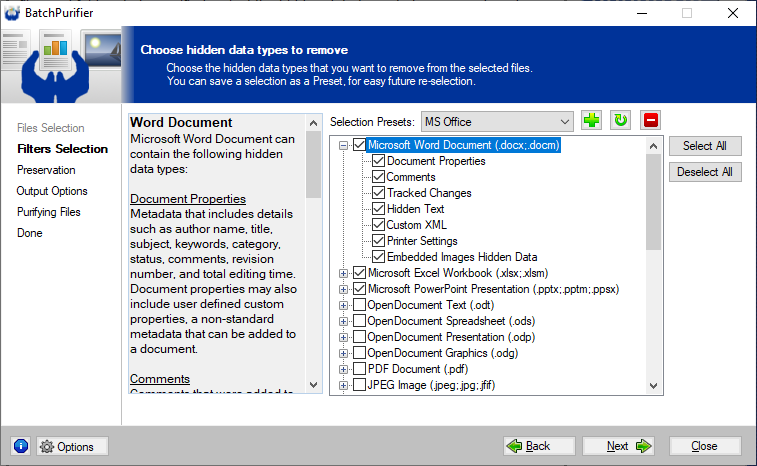
Related White Papers
|
| ©2026 Digital Confidence Ltd. All rights reserved. Privacy Statement | Site Map | Contact Us |